
ONLYOFFICE 9.2: Bringing Local AI and Macro Automation to the Open-Source Desktop
The friction between productivity and privacy has reached a breaking point. While Microsoft and Google push users toward cloud-tethered AI subscriptions that scan every keystroke, ONLYOFFICE Desktop Editors 9.2 takes a different path. This update integrates a native AI agent directly into the local application environment for Windows, Linux, and macOS, prioritizing data sovereignty over cloud dependency. By moving the LLM (Large Language Model) from a browser plugin to a core architectural component, ONLYOFFICE is attempting to solve the "copy-paste tax" that has long plagued AI-assisted drafting.
The AI Agent: Privacy, Latency, and the Hardware Tax
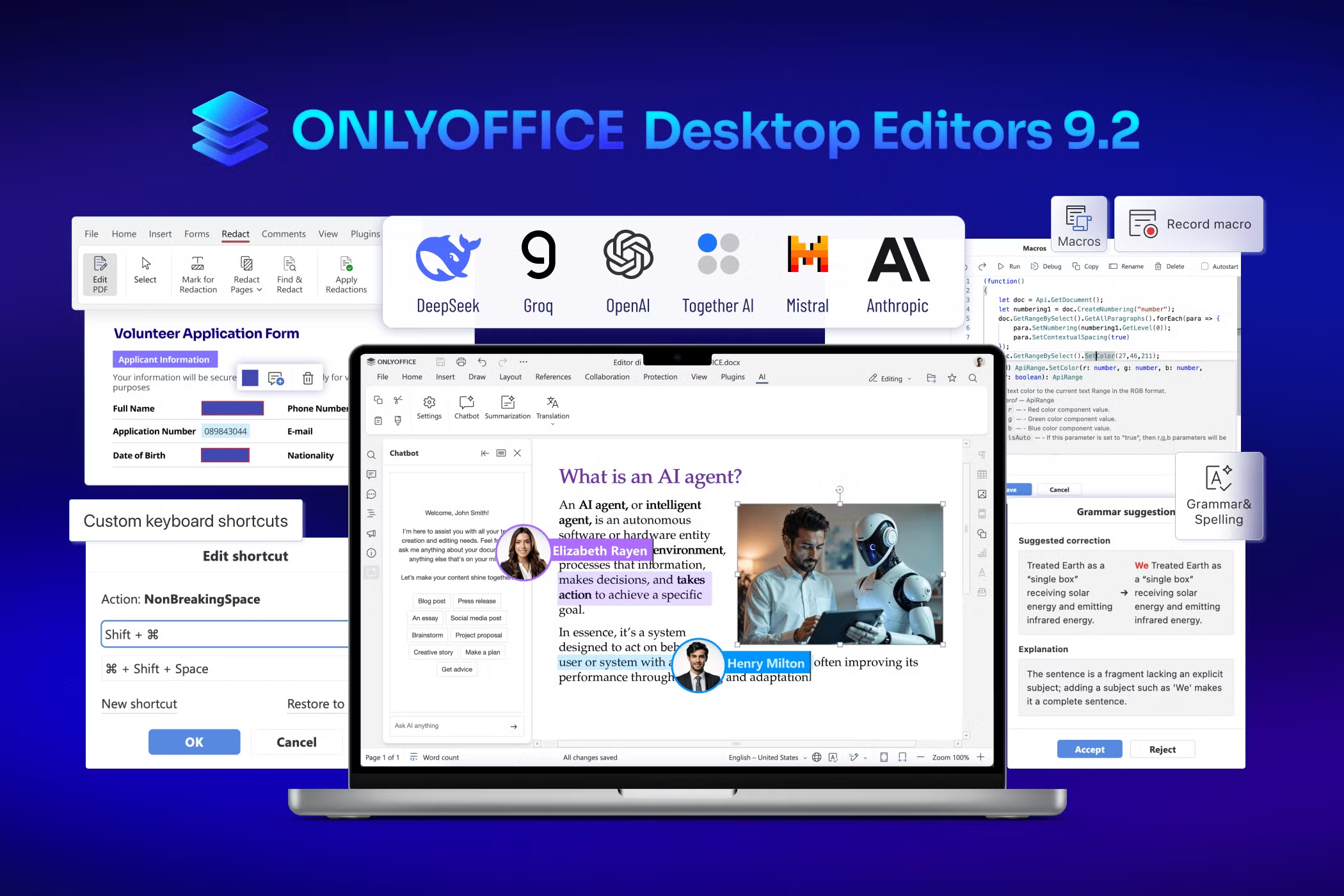
The headline feature of version 9.2 is the transition of the AI agent from an experimental plugin to a stable, integrated sidebar. The agent hooks directly into the document buffer, allowing it to "read" the active file without requiring the user to manually shuttle text back and forth.
However, the "local AI" promise comes with a reality check. While the suite supports industry giants like OpenAI and Anthropic, the real appeal for privacy-first users is the Ollama integration. This allows you to run models like Llama 3 or Mistral entirely offline. The trade-off is performance: don’t expect a "snappy" experience on an entry-level machine. To run these models with acceptable latency, your hardware needs a modern NPU or a dedicated GPU with significant VRAM. On a standard office laptop with 8GB of RAM, local generation can feel sluggish compared to the instant (though less private) responses of a cloud-based GPT-4.
Compared to Microsoft Copilot, which demands a $20 monthly tribute and a persistent internet connection, ONLYOFFICE’s implementation is a breath of fresh air for the budget-conscious. It offers similar functionality—generating HTML, summarizing reports, and filling PDF forms—without the recurring SaaS drain.
Beyond Chat: Refined Automation and Toolbar Integration
Version 9.2 doesn't just bolt on a chatbot; it weaves AI into the existing UI. The update introduces dedicated toolbar options that treat AI as a utility rather than a gimmick.
-
Contextual Editing: The AI-powered grammar and spell check offers a more nuanced understanding of tone than traditional dictionary-based tools.
-
Inline Translation: Real-time translation now occurs within the document flow, maintaining formatting that usually breaks when using external web tools.
-
Form Logic: In the PDF editor, the agent assists in navigating complex form fields, a feature that significantly reduces the "click-debt" for administrative tasks.
Power User Parity: Shortcuts and Macro Recording
For years, power users have complained about the "mouse-heavy" nature of ONLYOFFICE. Version 9.2 finally addresses this by introducing fully customizable keyboard shortcuts. Accessible via Advanced Settings, this allows users to remap hotkeys to mirror the layouts of Microsoft Office or LibreOffice, easing the transition for those with decades of muscle memory.
Further closing the gap with proprietary suites is the introduction of macro recording. Instead of requiring users to write JavaScript from scratch, they can now record a sequence of repetitive actions and save them as executable macros. While this is a massive leap forward for document formatting and spreadsheet management, it’s worth noting that it doesn't yet match the sheer depth of Excel’s legacy VBA ecosystem. For basic to mid-level automation, however, it removes the technical barrier that previously kept macros in the realm of developers.
ARM64 Support and Native Performance
ONLYOFFICE 9.2 leans heavily into modern hardware. Windows 11 users on ARM64 devices—specifically those using the latest Snapdragon X Elite chips found in the Surface Pro 11—now have native support. This eliminates the performance penalty of x86 emulation, resulting in better battery life and faster cold-starts.
On the Apple side, the suite remains highly optimized for M-series silicon. Whether you're on a MacBook Air M3 or an older Intel Mac, the integration of the AI agent and macro recording feels consistent across the board. Linux users continue to get the best experience via DEB and RPM installers, though the Snap package remains a convenient, if slightly slower-to-update, alternative.
The Verdict: Privacy vs. Power
Fundamentally, ONLYOFFICE 9.2 is an aggressive play for the privacy-conscious professional. By staying open-source under the GNU AGPLv3 license and maintaining strict DOCX, XLSX, and PPTX compatibility, it offers a viable exit ramp from the Microsoft ecosystem.
However, it is not a total "Office killer" yet. While the macro recording and AI tools are impressive, ONLYOFFICE still trails behind Excel when it comes to high-end financial modeling and advanced pivot table features. It also lacks the massive third-party plugin ecosystem found in Google Workspace. But for those who value data residency and want a smarter, local-first editor without a mandatory account, 9.2 is the most capable version of ONLYOFFICE to date.