
ColorOS 16: An Early Look at OPPO’s Attempt to Strip Back the Layers
With the 2025 holiday season wrapping up, the first builds of ColorOS 16—based on the new Android 16 architecture—are hitting the hands of early adopters. For years, OPPO has buried Android under heavy skins and aggressive battery management. This time, however, the company seems to be stripping back the layers. Instead of just piling on more features, the focus has shifted toward deep system integration and a design language that feels less like a digital overlay and more like a physical interaction.
Beyond the Polish: Luminous Design and Personalization
OPPO wants a cleaner, more intuitive look. They’re calling the new visual language "Luminous Design," which is essentially a fancy way of saying they’ve used shadows and glows to make the interface feel three-dimensional. It’s an evolution of the "Flux Themes," focusing on how the UI reacts to touch as if it were a physical object under natural light.
The customization goes deeper than before. You can now tweak the geometry of individual app icons or the exact layout of home screen folders. They’ve also updated the Always-On Display (AOD) to give users more granular control over idle information.
Crucially, OPPO is finally listening to long-time Android users regarding the "split" Control Center. While the default swipe-down now separates notifications from settings (mirroring iOS and HyperOS), you can actually toggle this back to a unified layout in the settings. It’s a small win for those of us who find the split layout more annoying than helpful.
The Performance Engine: Marketing Hype or Real Speed?
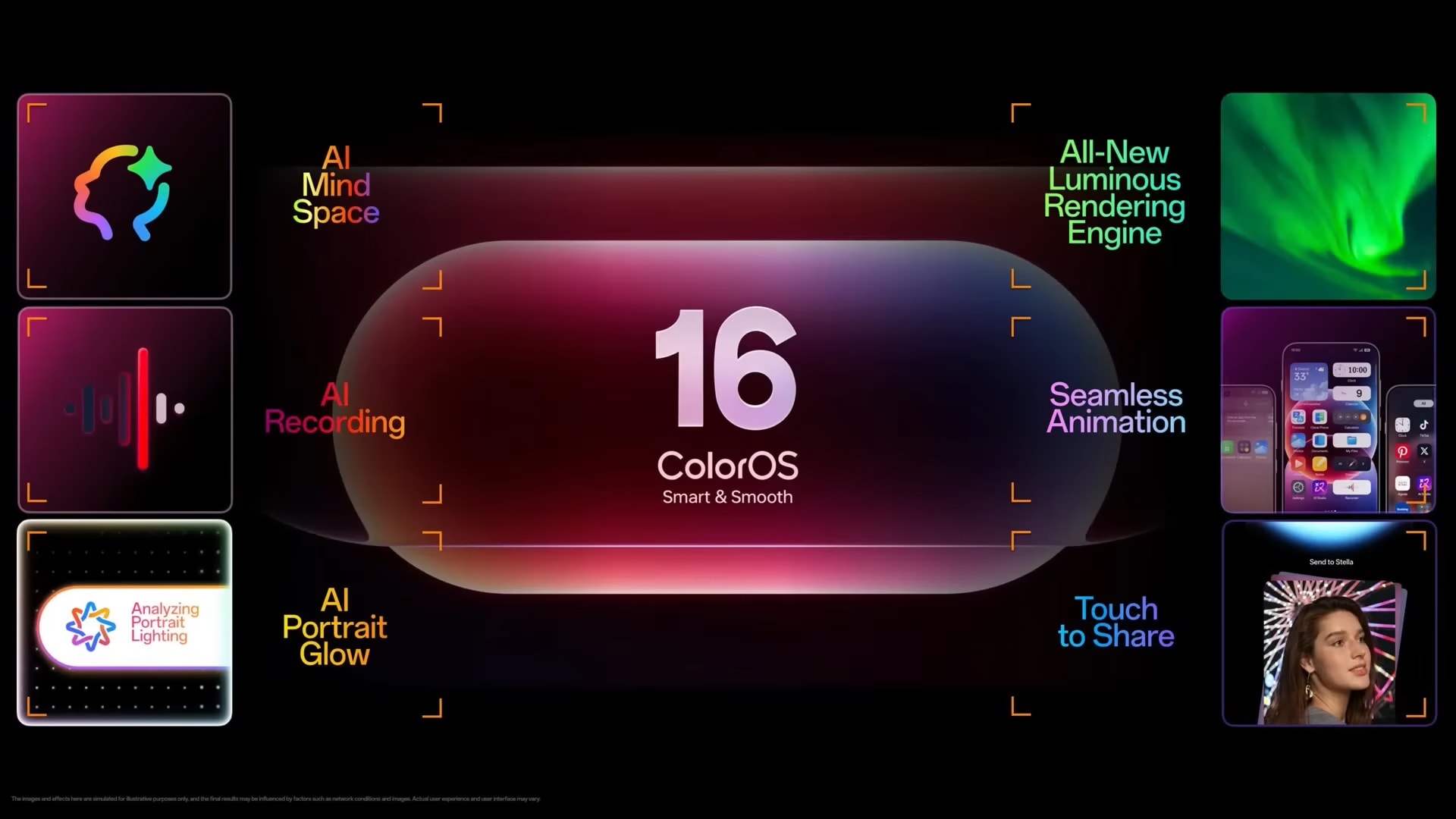
The technical backbone of ColorOS 16 relies on two rebranded pillars: the "Luminous Rendering Engine" and the "Trinity Engine." Marketing jargon aside, the goal here is to solve the "micro-stutter" that has occasionally plagued the Reno and Find series.
The Luminous Rendering Engine handles what OPPO calls "Seamless Animation." In practice, this means transitions now originate from the exact point of your finger’s contact rather than playing a pre-set animation from the center of the screen. It makes the device feel more responsive, though it remains to be seen if this fluidity holds up after six months of storage bloat.
The Trinity Engine handles the heavy lifting in the background. OPPO claims it optimizes multitasking and touch latency, resulting in:
-
Marginally faster cold-boot times.
-
Snappier app launches.
-
Better tap recognition during high-intensity tasks.
However, the real test will be whether ColorOS 16 has fixed its aggressive background app killing—a long-standing pain point for users who rely on consistent notifications from third-party apps.
AI "Mind Space": Useful Tool or Feature Creep?
OPPO is pitching its latest AI suite as a "second brain." The standout addition is the "Snap Key," a feature that allows for instant information capture—voice memos, text snippets, or screenshots—at the push of a button.
But do users actually want another physical or virtual button to manage? The Snap Key feeds into "AI Mind Space," an ecosystem that organizes your captures into Smart Collections. If you snap a photo of a flight confirmation and record a voice note about your hotel, the system links them automatically. It's clever, but it runs the risk of becoming a digital junk drawer if the AI isn't as smart as advertised.
On the creative side, the Photos app adds "AI Portrait Glow" to fix lighting in post and a video editor that turns standard clips into "Motion Photos." It’s a clear play for the social media crowd, streamlining workflows that used to require third-party apps.
Addressing the "Walled Garden" and The App Drawer
The app drawer has seen its biggest change in years. It now features "auto-categorization," which automatically shuffles your apps into functional folders like "Social," "Finance," or "Games." It looks and feels almost identical to Apple’s App Library. While this helps hide the bloatware that still occasionally ships with these handsets, it feels like another step toward "iOS-ification."
On the flip side, OPPO is becoming more open to the Apple ecosystem. ColorOS 16 includes specific tools to make moving files between an OPPO phone and a Mac or iPad significantly easier. It’s a strategic move to grab "switchers" who love their MacBooks but are tired of the iPhone's limitations.
Security and The Real-World "Bugs"
Security gets a hardware-focused boost this year. A new SIM Lock feature bricks the phone the moment a SIM card is removed without authorization. They’ve also added "Prevent Data Theft," which kills USB debugging and data transfer if the phone is locked, and "Prevent Flashing" to stop thieves from wiping the device via Recovery mode.
A Note on Beta Performance
If you are running the early beta on a Reno14 5G or a Find X9, be prepared for some rough edges. During our testing with intensive games like BGMI, the device hit 48°C—uncomfortably warm for any handheld. We also noticed significant frame drops when the "Luminous Rendering Engine" tries too hard to prioritize animation smoothness over raw thermal management. If your phone starts to cook, go into the Battery settings and switch the gaming mode to "Balanced." The "Pro" or "Competition" modes are currently too unoptimized for daily use.
The Verdict
ColorOS 16 is a polished, albeit familiar, update. OPPO is clearly trying to find a middle ground between the "everything and the kitchen sink" approach of the past and the minimalism users now crave.
The "Luminous" animations are beautiful, and the security features are a genuine step forward for physical device safety. However, the rebranding of standard Android features as "Engines" and the heavy inspiration taken from iOS might alienate Android purists. If OPPO can finally solve its background app-killing issues and trim the remaining bloatware, ColorOS 16 could be the version that finally earns the "smooth" title it’s been chasing. For now, it’s a promising, if slightly warm, glimpse into the next year of OPPO hardware.